Back to AI Tour
✨ Ultimate · Quick Guide

HtxAi Tour Companion
(Ultimate) Quick Guide

Get started in 3 steps | 🌐 查看中文版
01
Device Buttons
HtxAi Tour Companion Ultimate
🤖
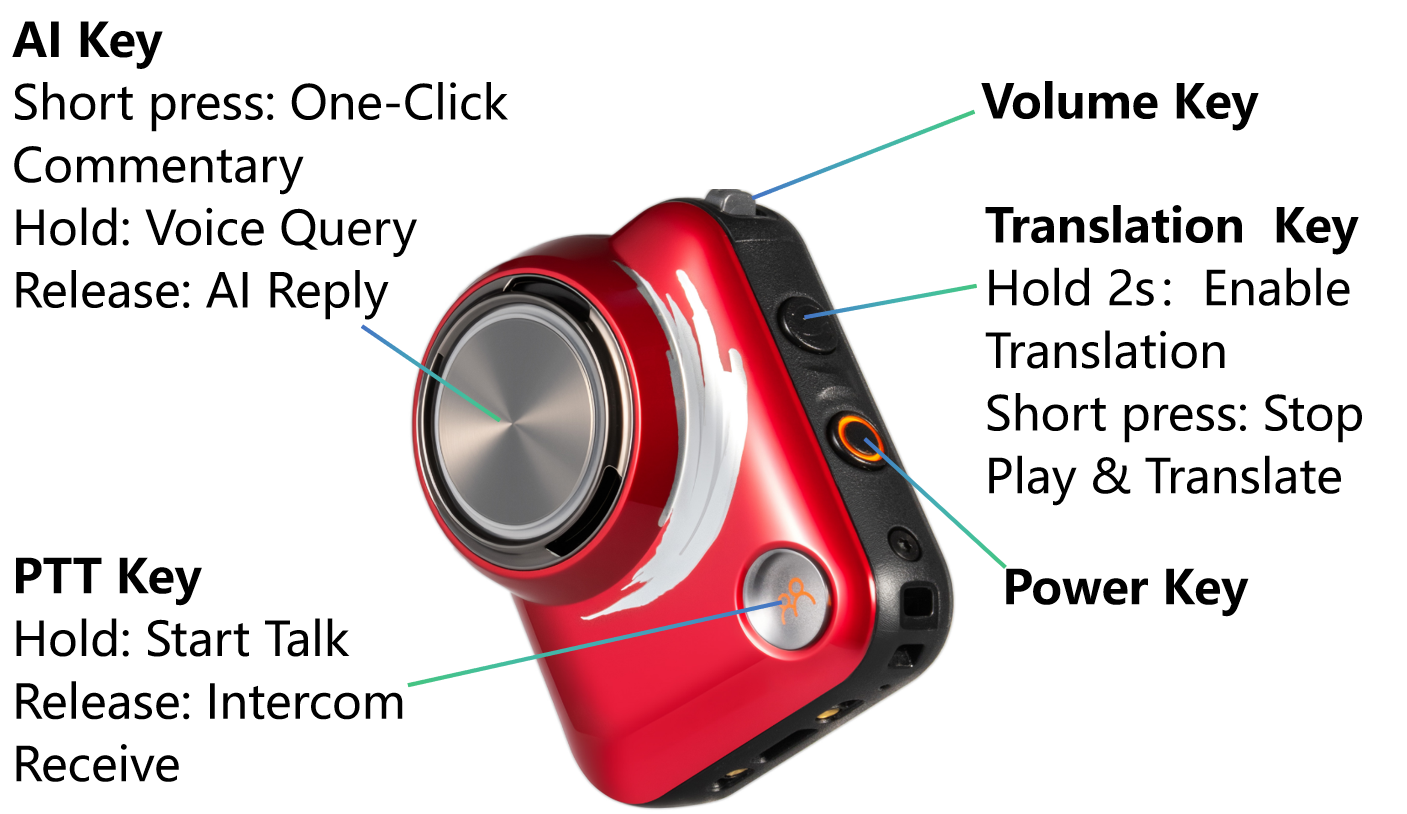
AI Key
Short press: One-tap guide
Hold: Voice question
Release: AI answer
🔊
Volume Key
Adjust device volume
🌐
Translate Key
Hold 2s: Translation toggle
Short press: Stop guide & translate
🎤
PTT Key
Hold: Start intercom
Release: Listen to intercom
🔘
Power Key
Power on/off
Scan WeChat QR Code Scan WeChat QR Code to add "HtxAi Tour Companion" Mini Program
02
Features
🎙️
One-tap Guide
  • 1 Single-click "AI Key" to start a guide of nearby attractions; during the guide, single-click "Translate Key" to stop
🤖
AI Q&A
  • 1 Hold the AI Key to speak your query; release it for AI reply. Short-press Translation Key to stop audio playback
🌐
Face-to-Face Translation
  • 1 Hold "Translate Key" for 2s to enable face-to-face translation. Set a different language for high-quality translation; click "Translate Key" again to stop face-to-face translation
👥
Group Up
  • 1 Open the WeChat Mini Program, go to Groups, and scan the QR code on the device back to add team members
🎤
Group Intercom
  • 1 Hold "PTT Key" to talk to the group; release to listen to other members
03
Mini Program
Improve Experience
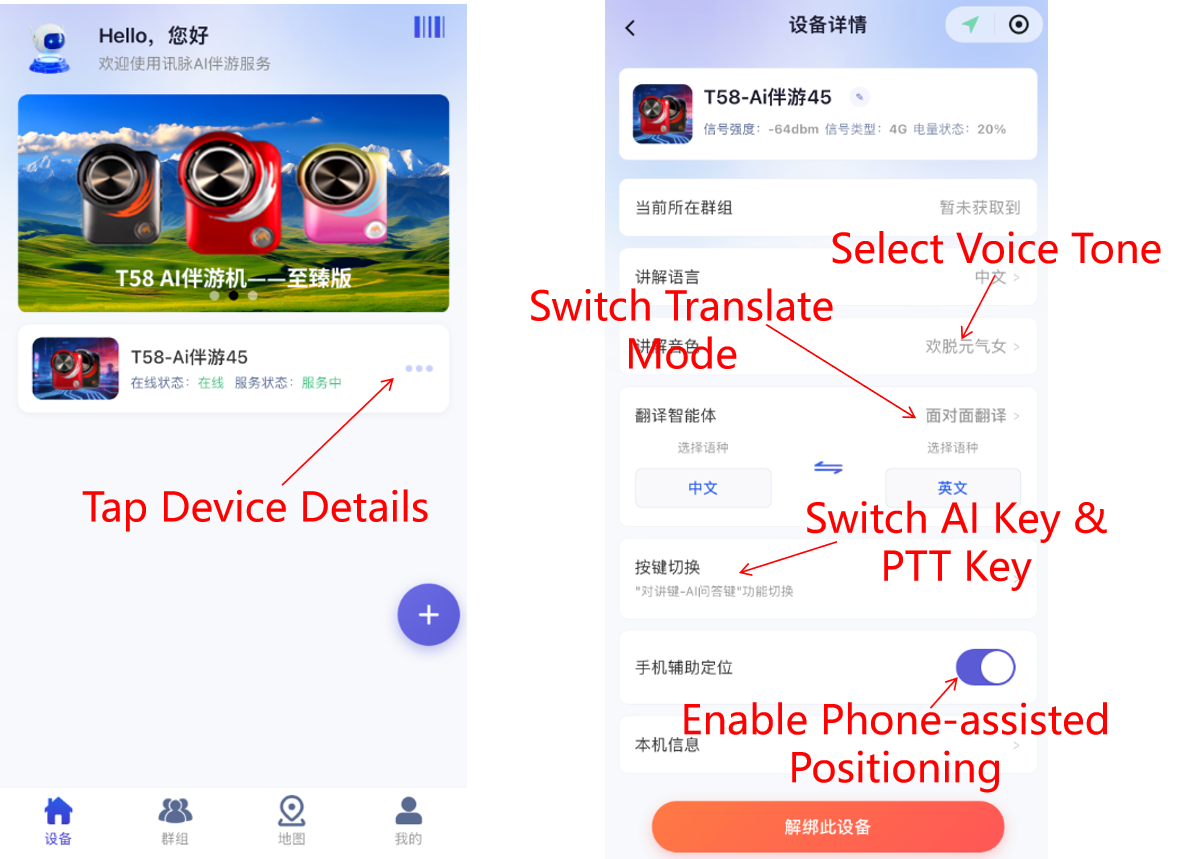
  1. In the WeChat Mini Program, scan the QR code on the device to bind it, then tap the device to enter its details page
  2. Enable the device's "Phone-assisted Positioning" switch to improve positioning accuracy and extend battery life
  3. Tap "Guide Voice" to select your preferred narration voice
⚠️ Note: The bound device and phone must be carried by the same person, and do not exit WeChat during use
Phone-assisted Positioning Steps