Back to AI Tour
 Scan WeChat QR Code to add
"HtxAi Tour Companion" Mini Program
🌿 Pure Edition · Quick Guide
HtxAi Tour Companion (Pure)
HtxAi Tour Companion (Pure)
Quick Guide
01
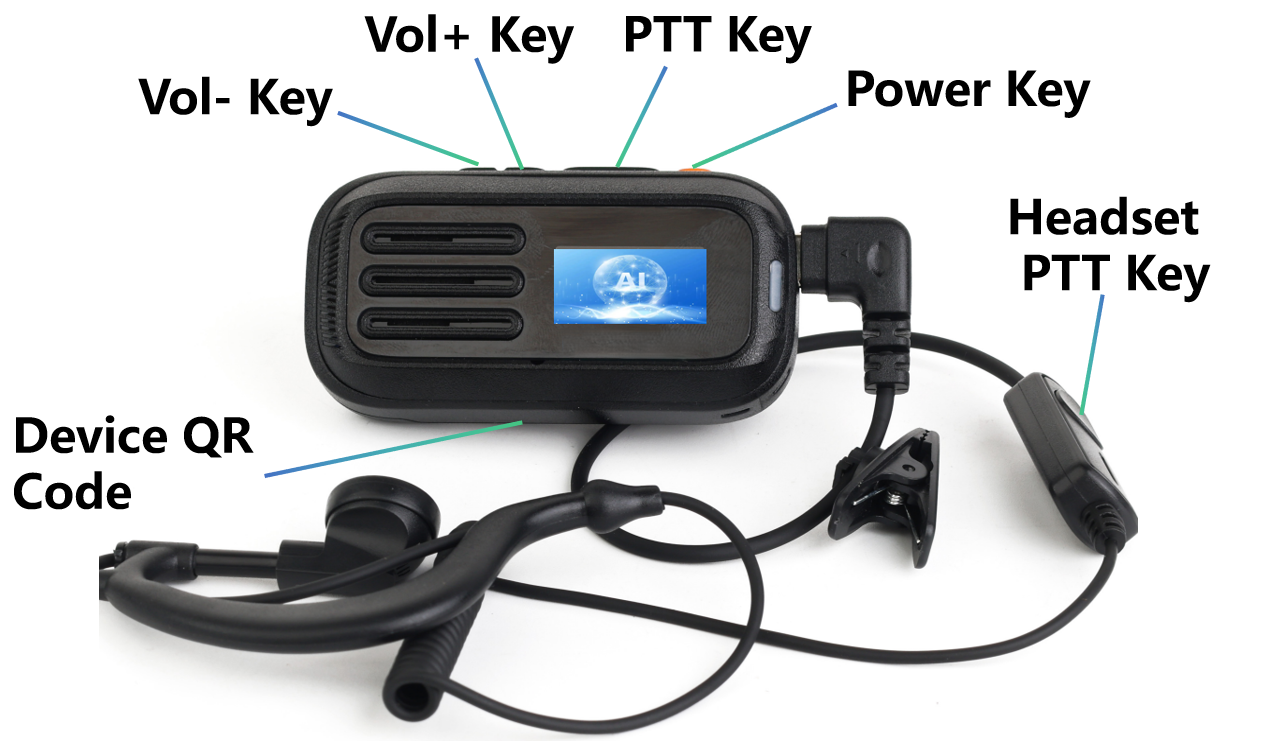
Device Buttons
🔉
Vol− Key
Decrease volume / AI Q&A voice input
🔊
Vol+ Key
Increase volume / Toggle voice translation
🎤
PTT Key
One-click commentary (single-click) / Group PTT (hold)
🔘
Power Key
Power on/off / Stop commentary
📱
Device QR Code
Scan to add "HtxAi Tour Companion" Mini Program & team up
Scan WeChat QR Code to add"HtxAi Tour Companion" Mini Program
02
Features
🎙️
One-click Commentary
- 1 Single-click "PTT Key" → one-click commentary on nearby attractions
- 2 Single-click "Power Key" to stop commentary
🤖
AI Q&A
- 1 Hold "Vol− Key" for voice query, release to get voice reply
- 2 Single-click "Power Key" to stop AI reply
🌐
Face-to-Face Translation
- 1 Hold "Vol+ Key" to enable face-to-face translation mode
- 2 Hold "Vol+ Key" for 2s again to disable face-to-face translation
👨🏫
Guide Mode
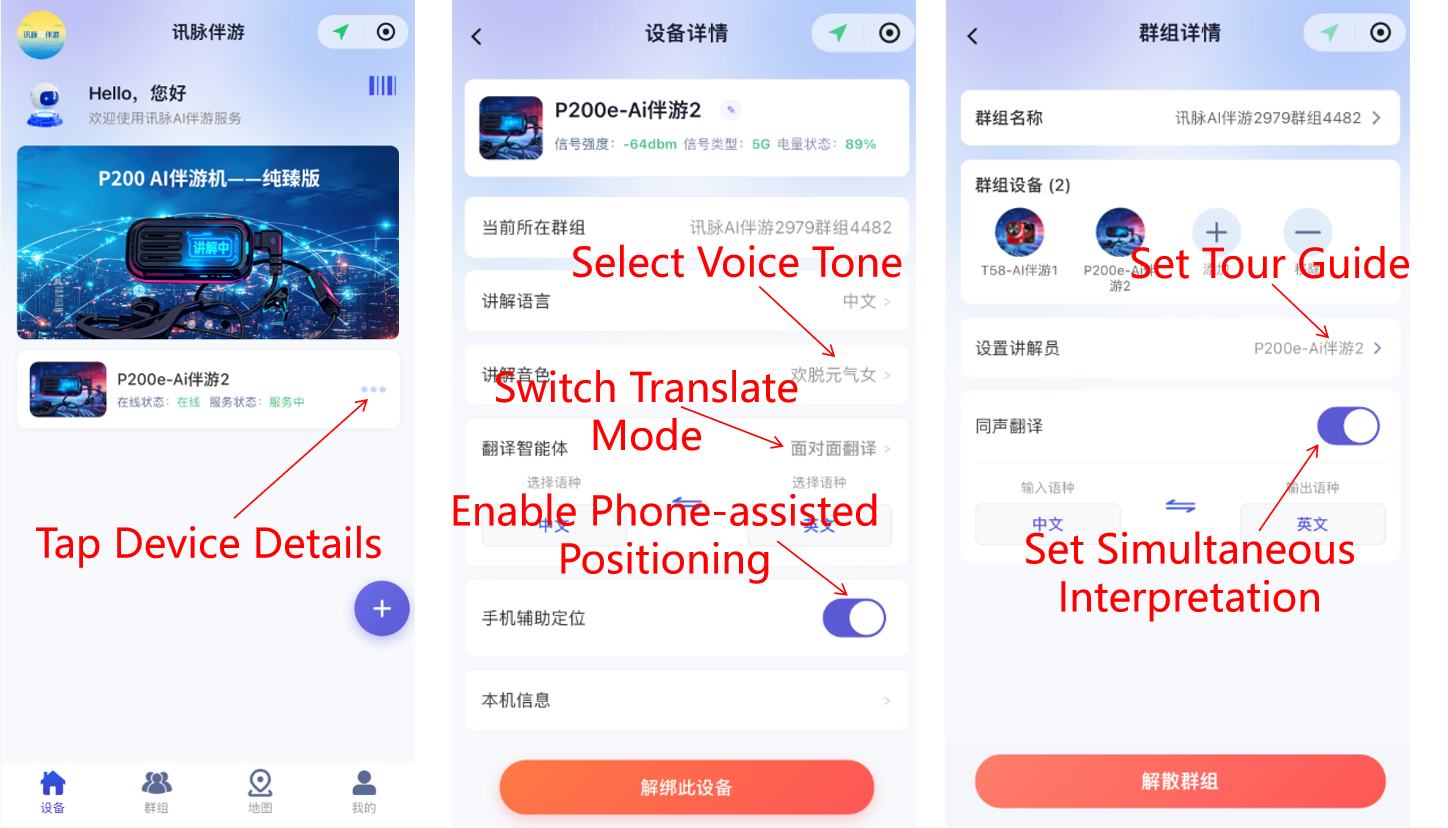
- 1 Open "HtxAi Tour Companion" Mini Program, go to "Group" page, set device to Guide Mode
- 2 Long-press "Vol+ Key" to start Guide Mode
- 3 Long-press "Vol+ Key" again to stop Guide Mode
🎧
Simultaneous Translation Commentary
- 1 Open "HtxAi Tour Companion" Mini Program, go to "Group" page, set device to Simultaneous Translation Commentary Mode
- 2 Long-press "Vol+ Key" for 2 seconds to start Simultaneous Translation Commentary Mode
- 3 Long-press "Vol+ Key" for 2 seconds again to stop Simultaneous Translation Commentary Mode
👥
WeChat Team Up
- Open "HtxAi Tour Companion" Mini Program, go to "Group" page, scan device QR code to team up
📡
Group PTT
- 1 Hold "PTT Key" to start PTT; team members can talk
- 2 Release "PTT Key" to listen to teammates
03
Mini Program
Improve Experience
- ① In the WeChat Mini Program, scan the QR code on the device to bind it, then tap the device to enter its details page
- ② Enable the device's "Phone-assisted Positioning" switch to improve positioning accuracy
- ③ Tap "Guide Voice" to select your preferred narration voice
⚠️ Note: The bound device and phone must be carried by the same person, and do not exit WeChat during use